Documents & monitoring
A document tells
part of the story.
The interface distinguishes available documents from ongoing monitoring of a provider.
TYCT received an interface for complex verification tasks and an implemented UI component library. Engineering could build on that foundation and reuse recurring elements in additional workflows.
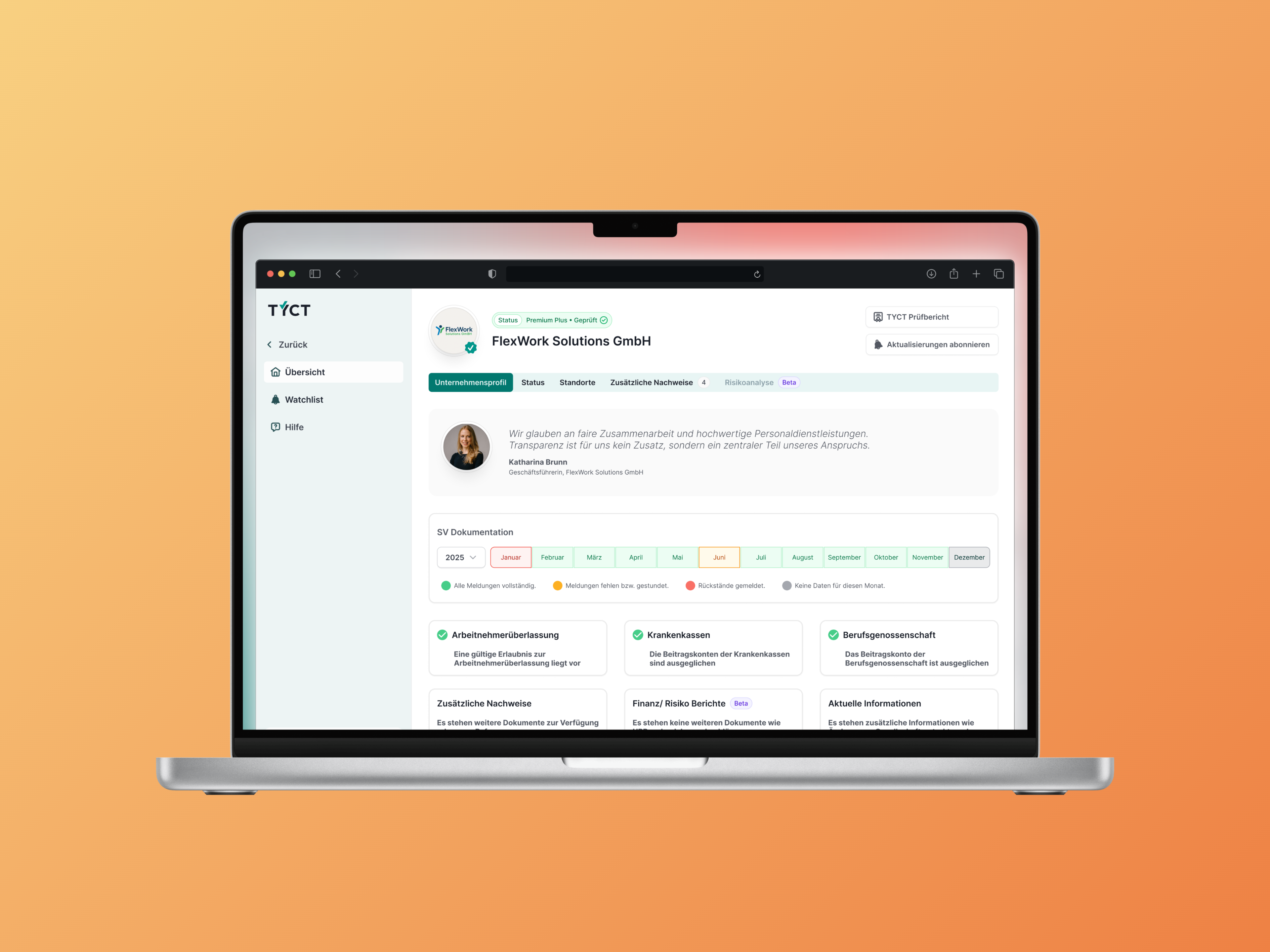
TYCT had just been founded and initially needed a prototype of its core flow. A logo and colours existed, but no product interface. Later expansion introduced different verification sources, monitoring and group structures.
I led the project and design on the userdoo side, coordinated with the client and developers, and designed with my team. Our task was to turn complex verification work into understandable flows and a reusable UI.
We first used a stylescape to discuss the visual direction, followed by wireframes, prototypes and detailed screens. As the product evolved, we developed complete flows and states: an existing document does not imply ongoing monitoring, and missing information is not a negative finding. Those distinctions carried through into status indicators, notices and components.
The development team received detailed flows, UI designs and implemented Storybook components that could be connected to the backend and reused as the portal expanded.
01 The user task
From search to an informed assessment and a next step.
A company employee searches for a staffing provider. They need to understand which documents are available, how current they are and whether closer attention is needed. They then want to add the provider to a watchlist and follow relevant changes.
This makes the core design task clear: search results, profiles, documents and notices need to work together. A status must make sense in the context of its supporting information.
Search for providers and identify available verification sources.
Review the profile, recency and accessible documents.
Add the provider to a personal watchlist.
Move from a change notification to the relevant information.
An example user flow connecting the different parts of the product.
02 Building the product · 2025
Stylescape, wireframes, components and detailed screens.
We first needed a shared idea of how TYCT should feel as an application. We created a stylescape with visual approaches and module variants to make possible directions tangible for the client.
We then structured the core flow in wireframes. With the design direction agreed, we developed the actual components and final screens.
The design system grew with the elements and page types the product needed. The scope expanded beyond the original prototype into further software areas.
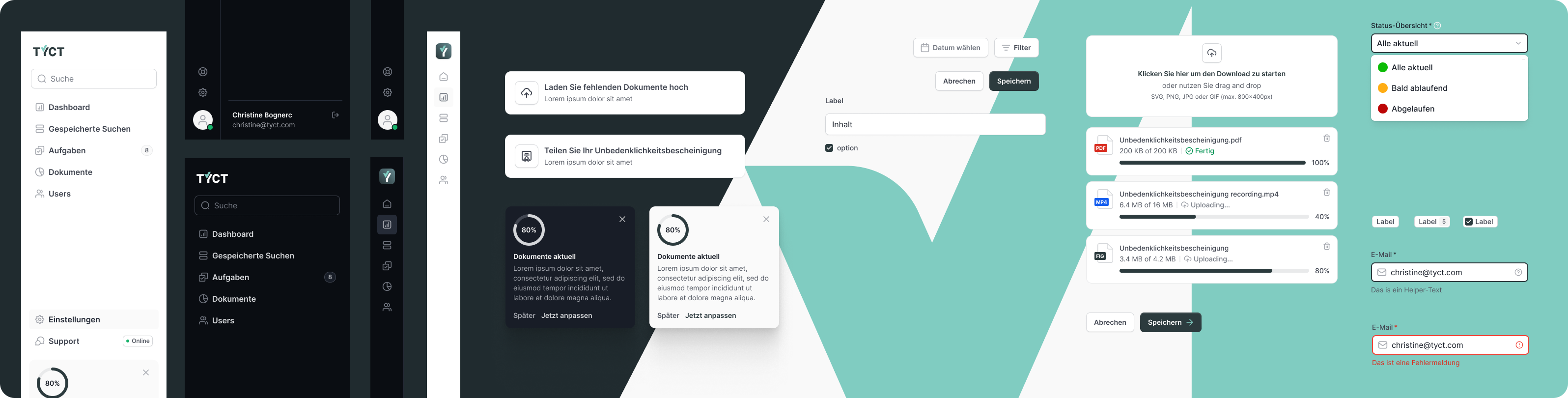
A prototype of the core flow, detailed product interfaces and a shared design foundation for further areas.
03 Information structure
From a provider overview to individual documents.
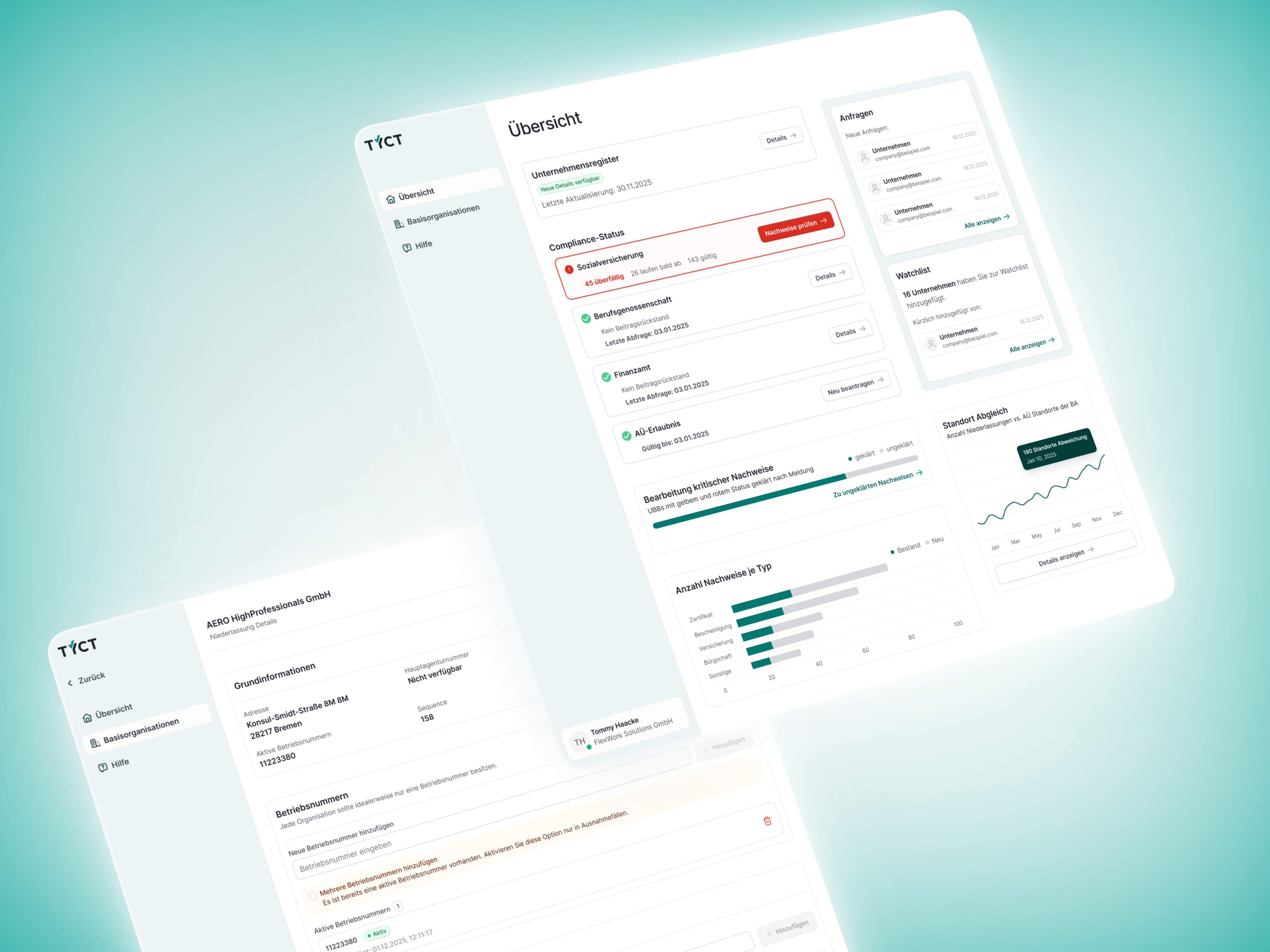
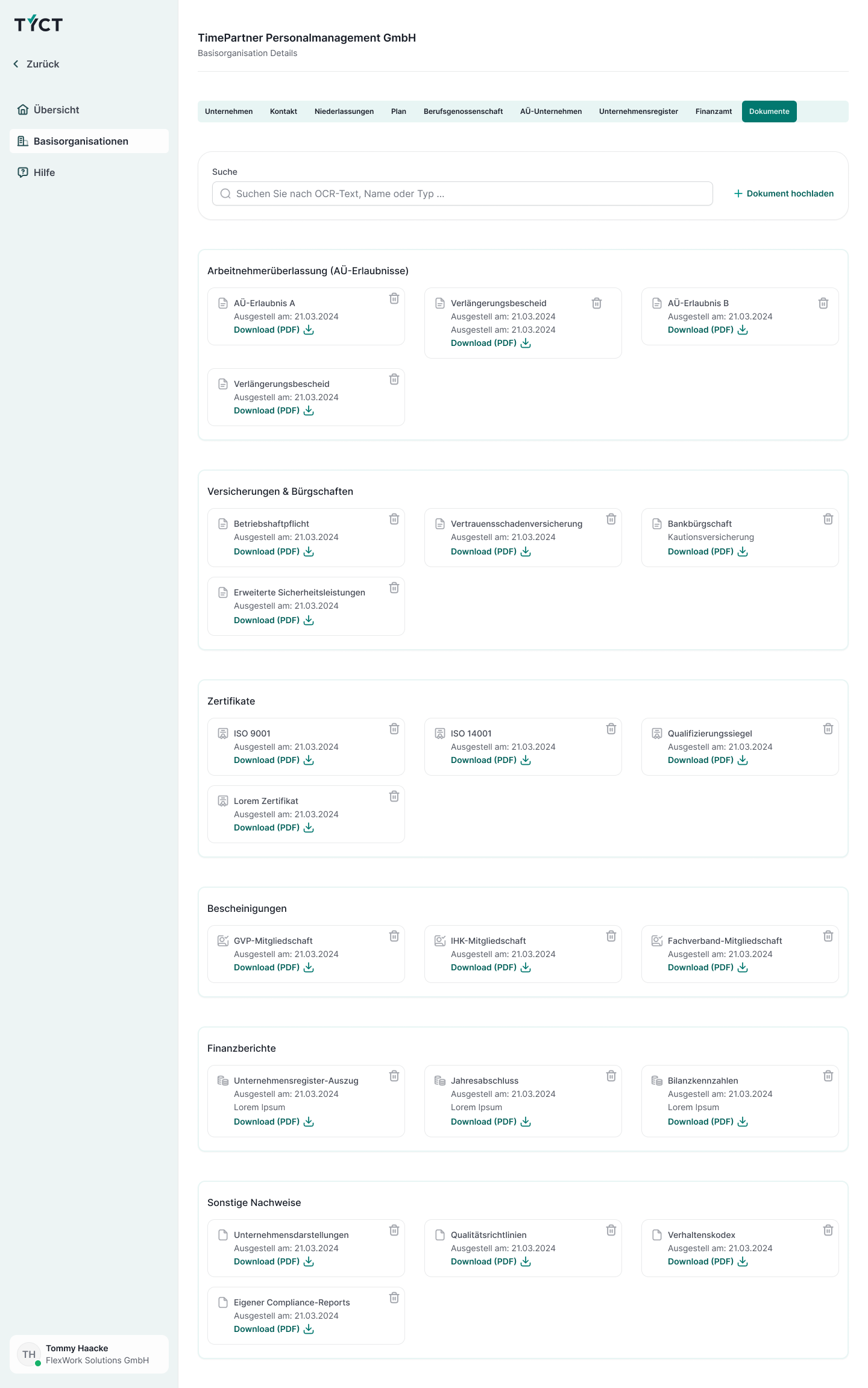
A provider has different kinds of information: company details, branches and documents such as temporary staffing licences or insurance certificates. These needed to be findable both in context and individually.
The document view groups evidence by type, placing search and document actions close to the task. The design connects the company profile to the information needed for a closer review.
Close collaboration with the TYCT team was essential. They brought deep domain expertise; I helped structure the requirements and translate them with the userdoo team into understandable flows and interfaces.
04 Product evolution · 2026
The growing product scope brought greater domain complexity.
In 2026, we were working on an existing application. New features, external data sources, document requests and group structures had been added. Navigation and information hierarchy needed to reconnect those contexts.
A provider could be on a watchlist, belong to a group and have individual documents without being continuously monitored. The source, recency and access permissions of information also needed to remain clear.
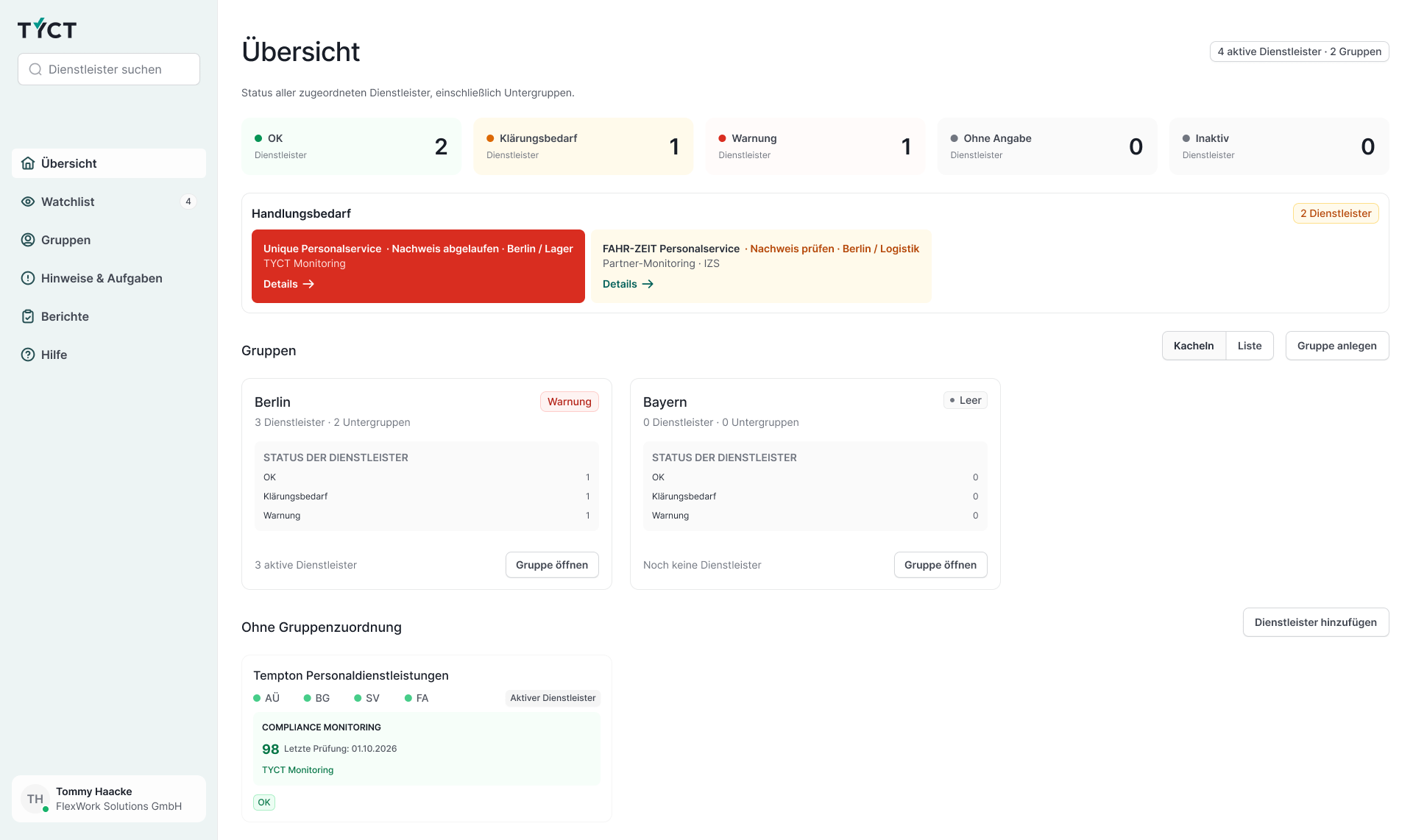
Documents & monitoring
The interface distinguishes available documents from ongoing monitoring of a provider.
Unknown & critical
A lack of data does not justify a negative assessment. This state remains separate from a warning.
Source & recency
Source, verification context and date help users interpret the information.
How we worked
Complete flows made the domain model tangible.
Realistic examples, screen flows and interactive Figma prototypes let us review entry points, assignment and return navigation together. The work was grounded in product analysis and iterative discussions with product owners and developers.
05 Dashboard & groups
A single warning should not make the entire group look critical.
The dashboard shows where attention is needed. Notices name the provider and the reason. The group area focuses instead on assignments, subgroups and the providers they contain.
Groups received neutral surfaces. Warnings and questions remain visible without visually assigning the same judgement to every member. Active providers without data are also distinguished from inactive ones.
Existing components and familiar page patterns remained the foundation, so the new functionality could be used as a coherent evolution of the product.
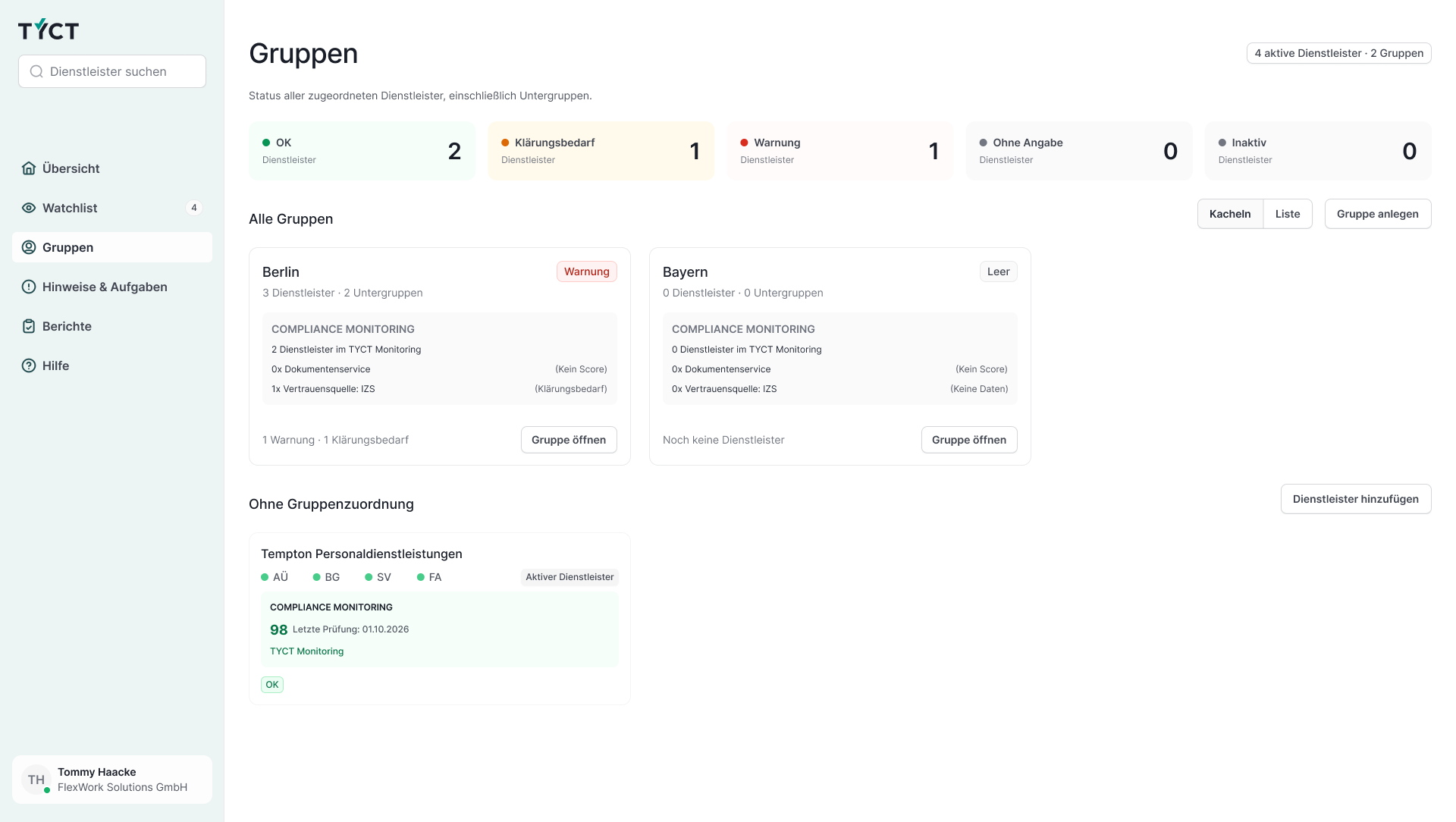
OK, clarification needed, warning, no information and inactive remain distinct.
TYCT monitoring, the document service and external information are identified.
Groups, subgroups and directly assigned providers form distinct levels.
06 Design & development
The collaboration extended from visual direction to a reusable component foundation.
Alongside screens and specifications, we delivered Storybook with detailed Vue/TypeScript components, documenting variants, states and interaction behaviour.
Developers could integrate these components into the portal and connect application data. The development team retained responsibility for the backend, permissions, routing and integration.
Regular discussions, particularly with the lead developer, connected design decisions to implementation needs. I was responsible for design and delivery on the userdoo side.
The shared foundation
Product views, flows and design
Reusable components with documented states
Connecting data, permissions and backend
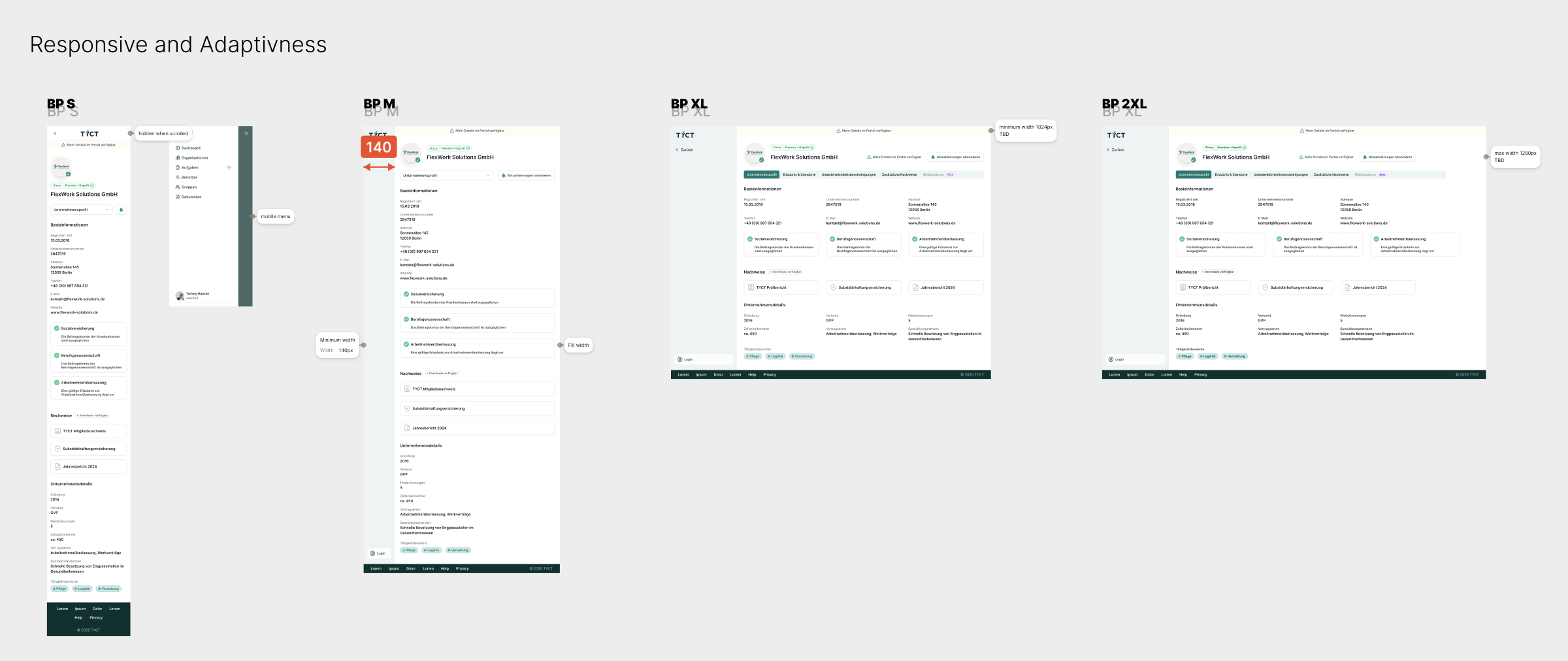
Examples from the delivered components
Providers and their different information states.
Separate status categories with appropriate loading and display states.
Specific notices linking to the relevant details.
Outcome & my contribution
TYCT could build on implemented UI components, without redesigning recurring elements for every flow. The verification states we clarified together gave product and development a consistent basis.
Connected designs and prototypes for search, profiles, supporting documents and administration.
A structure that distinguishes verification status, data sources, recency and specific actions needed.
Figma foundations and implemented Storybook components with documented variants and states.
Collaboration
Christine BognerTYCT
“The team is fantastic. They address our specific needs and work with us to find the best solutions. They are also flexible, allowing us to incorporate any last-minute changes without them losing sight of the overall goal or strategy. We will continue to work together.”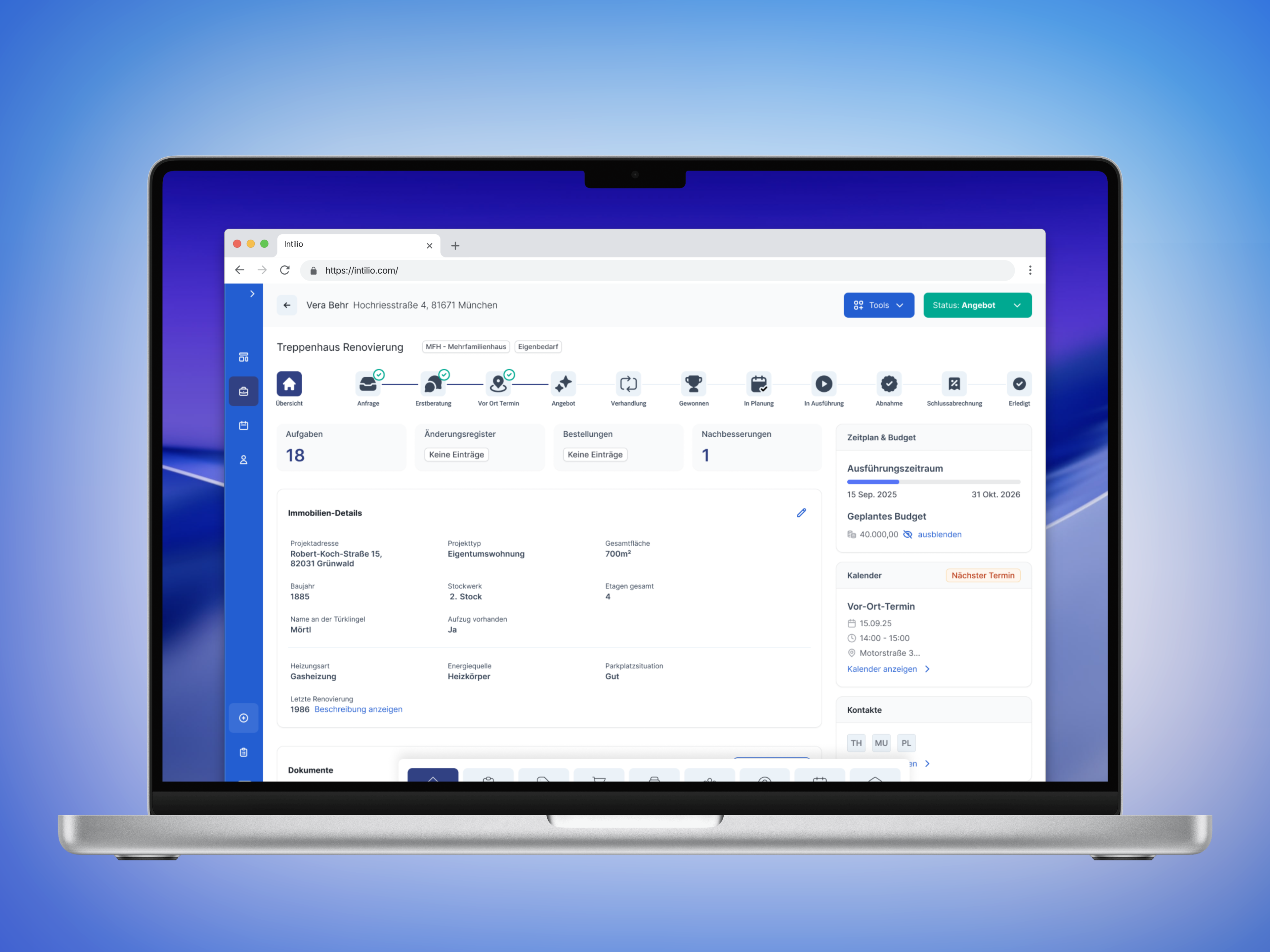
A guided project workflow provided the foundation for offering an internal tool as SaaS. Tasks, documents and next steps were brought together in one flow.
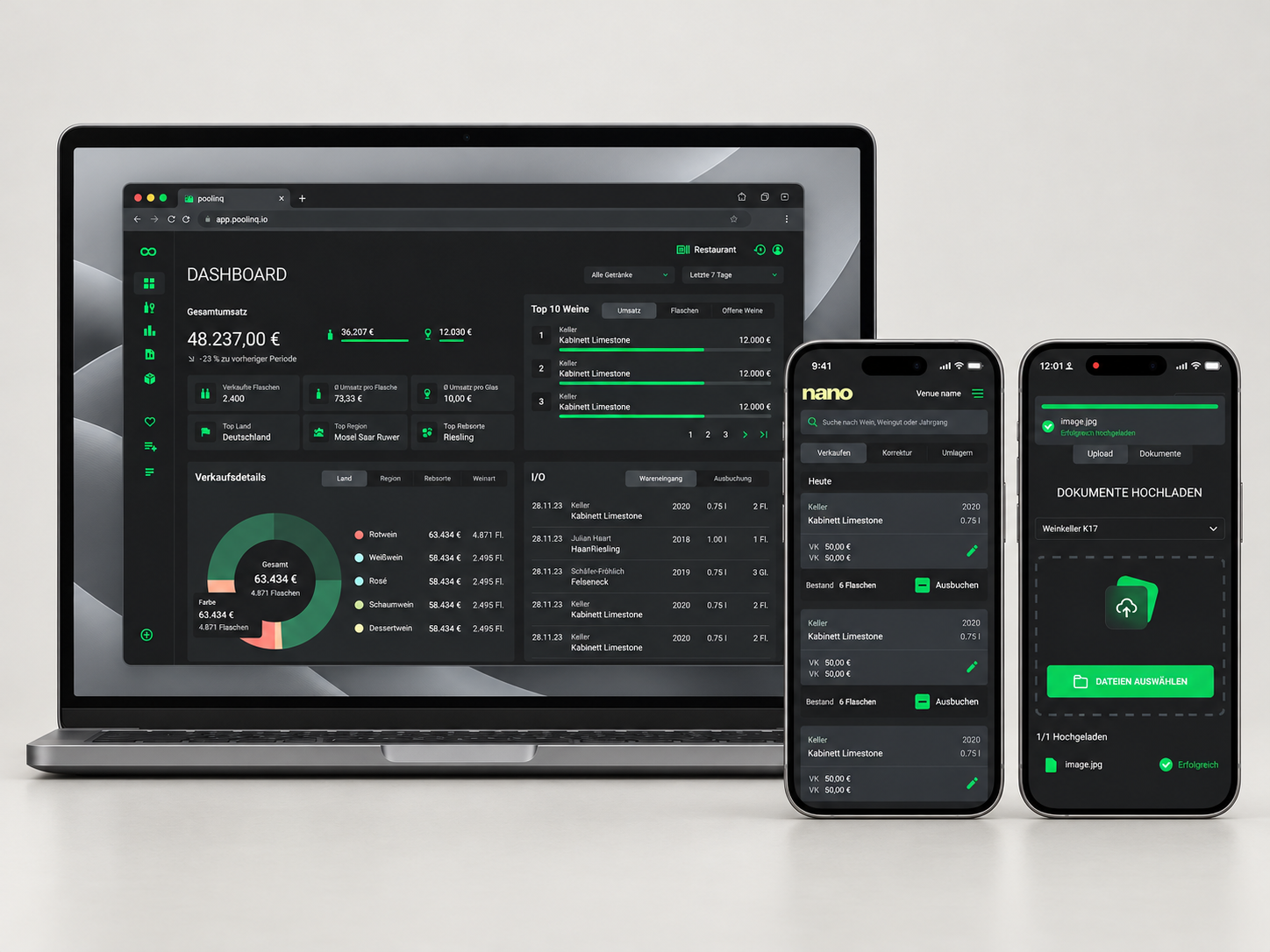
Less manual data entry when goods arrive: Drop uses AI to transfer invoice data into inventory management. Shared components provide a foundation for further product development.
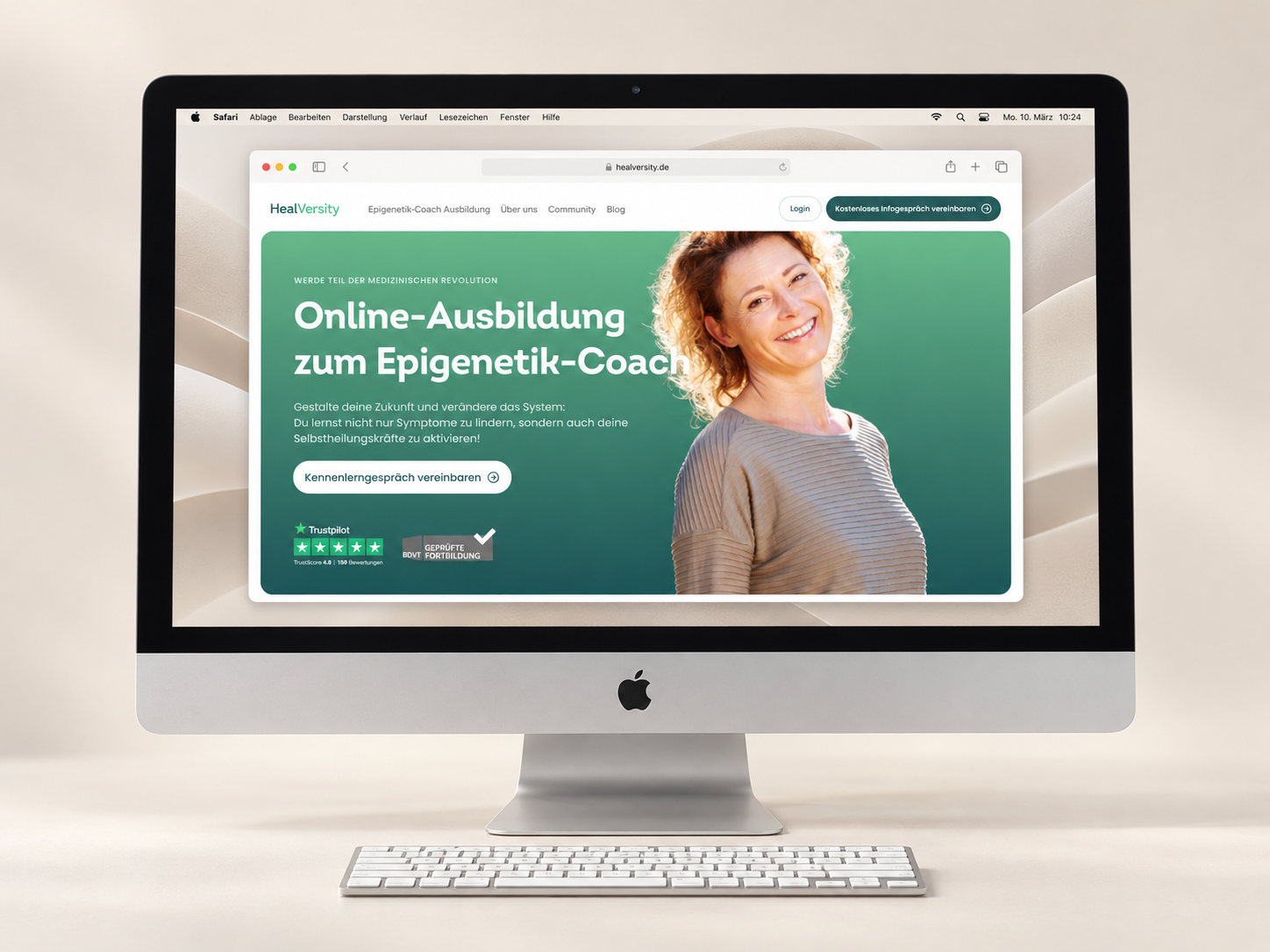
Additional landing pages could build on shared templates and components. Walkthroughs identified specific obstacles to accessing courses and offerings.